
Archive for August, 2010
Mendeley – iTunes for Research, but Better
by admin on Aug.20, 2010, under My Life
While I am not a big iTunes fan, the analogy is at least somewhat accurate and sums up some of the key benefits of Mendeley Desktop quickly. Like iTunes, it provides a client you can use to organize, access and interact with media – in this case research papers rather than music. The cross platform client runs on Linux, OS X and Windows and can sync your research library with on-line storage you can access anywhere. Some of the key features I like are:
Features
* Search your entire library of papers very quickly. Make notes, and define tags, for papers which stay with them and can also be searched. Searching within dozens of PDFs seems to execute very fast.
* Automatic retrieval of document information based on analysis of metadata in the paper. Mendeley will scan the paper, identify the author and name of the paper, and if it finds a DOI or PMID publication catalog number it can then pull in additional metadata for the paper for you – all very painlessly. Very cool.
* Allows you to create collections which can be shared publicly (I’ve not used this feature yet.)
* On-line library of thousands of paper to browse and easily download. Note: Unlike iTunes, Mendeley is not a publishing agent per say – they simply point you to where the research can be found. Thus you may get directed to sites like the ACM or IEEE digital libraries, or various sites for medical research, which require an account to access. To make maximum use of Mendeley you may want to find out if your company or school has an account which provides access to these publications. (There are many papers available however which do not require this additional access.)
* The web site presents the current, mostly highly read papers, organized by discipline, which makes finding interesting things to read very simple.
* Web importer: A Javascript bookmarklet that imports documents you find on-line, and associated .PDFs if possible, into your library.
* Provides social network opportunities by searching for other Mendeley users, viewing their publications and bio information, and contacting them through Mendeley.
* One of the best features is integration with OpenOffice / MS Office which makes adding citations a snap. Choose your citation format and use the plug-in for your Office Suite and you can painlessly add citations with abandon. Oh the glory.
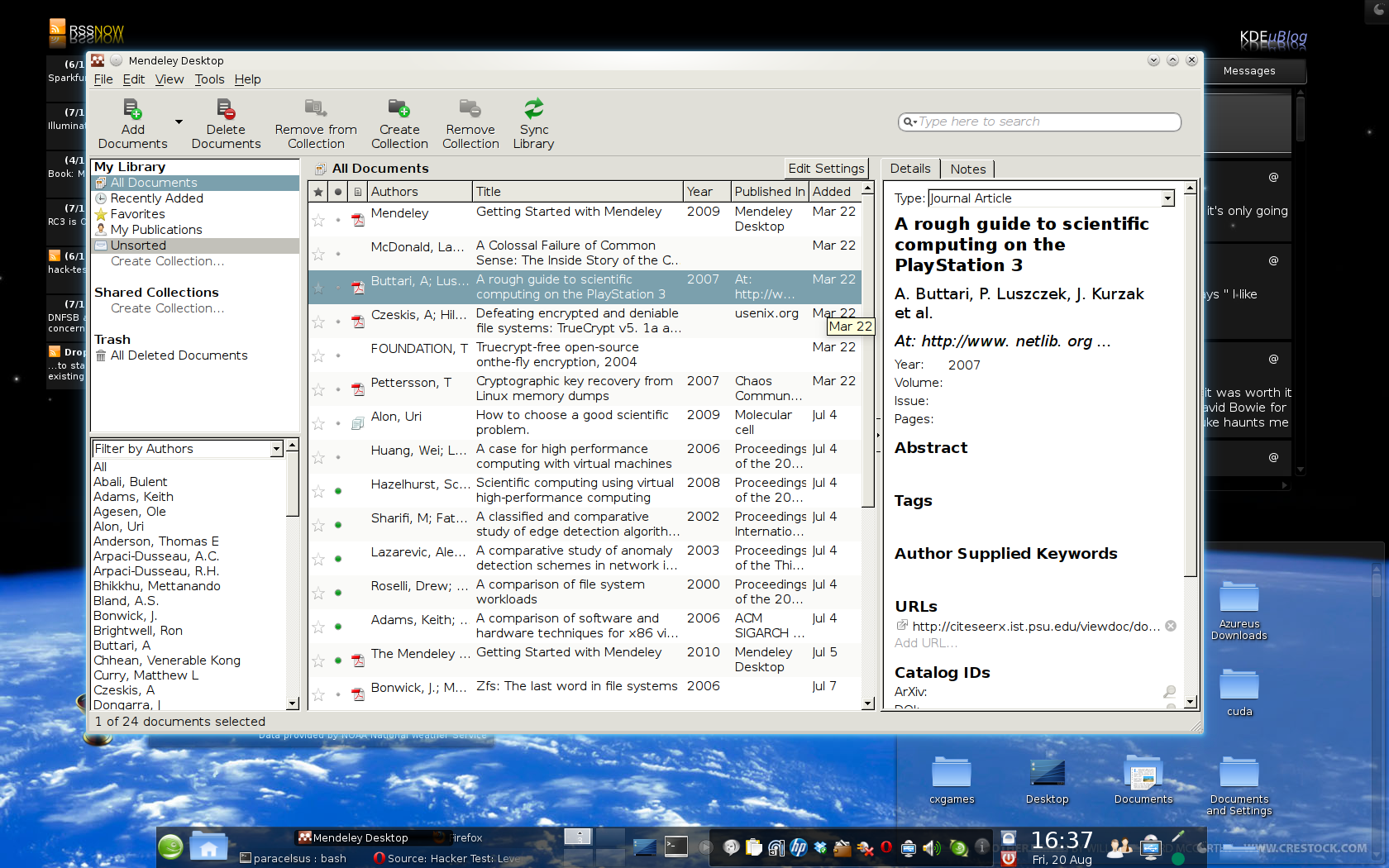 Getting Started
In addition to downloading the desktop client, I recommend reading the Getting Started Guide which will orient you on how to add existing papers you may have into Mendeley and how the metadata analysis works. It also shows how to use the OpenOffice plug-in for citing works.
Note that if you wish to synchronize your PDFs with your on-line account, you must enable this. Use the “Edit Settings” button (near the middle center of the tool bar).
You can add existing PDF simply by dragging and dropping them into Mendeley. This places them in a “needs reviewed” status during which you can have Mendeley search online for additional information. (It does this automatically, but if you need to do so manually: Right click on the document, select “mark as” and choose “Needs Review”. A dialog will now appear asking if you want to try automatically searching.)
Now, just start browsing for papers at the Mendeley site and use the bookmarklet when you are browseing to import items into your Mendeley.
Happy reading!
NVIDIA Cuda and VirtualGL
by admin on Aug.08, 2010, under Linux, My Life
(Update: I’ve written the Wiki now and you can find it here.)
So I’ve been playing around with NVIDIA’s CUDA Toolkit and SDK and reading this book that just came out “CUDA by Example”. (See this Linux Journal article for some general back ground on CUDA.)
This is pretty interesting (and fun) stuff. So far I’ve gotten the toolkit installed and compiled the sample code projects in the SDK. I have to use my workstation at work as (sadly) my ancient ass NVIDIA card at home is not CUDA capable and my system is so old it is really just a type writer at this point.
Running just the sample CUDA projects is pretty impressive though. My old school GeForce 8800 at work has a meager 32 cores. (The card I just ordered has 96, and the most recent Fermi architecture ones have 448 and 6GB – yea, holy crap.) However, with only 32 cores it renders the particle, smoke and other samples quite nicely. These are rendered in 3D, allowing you to change perspective, and sometimes alter the particle density, light source, etc. They are just examples showing how to run general purpose code (and render results in OpenGL) on the GPU.
So then I thought – I would like to forward the rendered OpenGL images to my workstation at home. Alas, SSH, VNC, et. al all actually send the OpenGL to the client to be rendered. Enter VirtualGL, which does just what you would think – it attaches a loadable module to an executable which intercepts OpenGL requests and send them to the local GPU for rendering, putting the results into a pixel buffer which then gets sent to the client. Wow. You can run your rendering in a data center and forward the results anywhere. That’s nifty!
Here is a picture of the CUDA smoke particles sample, being rendered at work, and forwarded via SSH X Forwarding with rendering handled by VirtualGL. (I think Geek Level just dinged.)
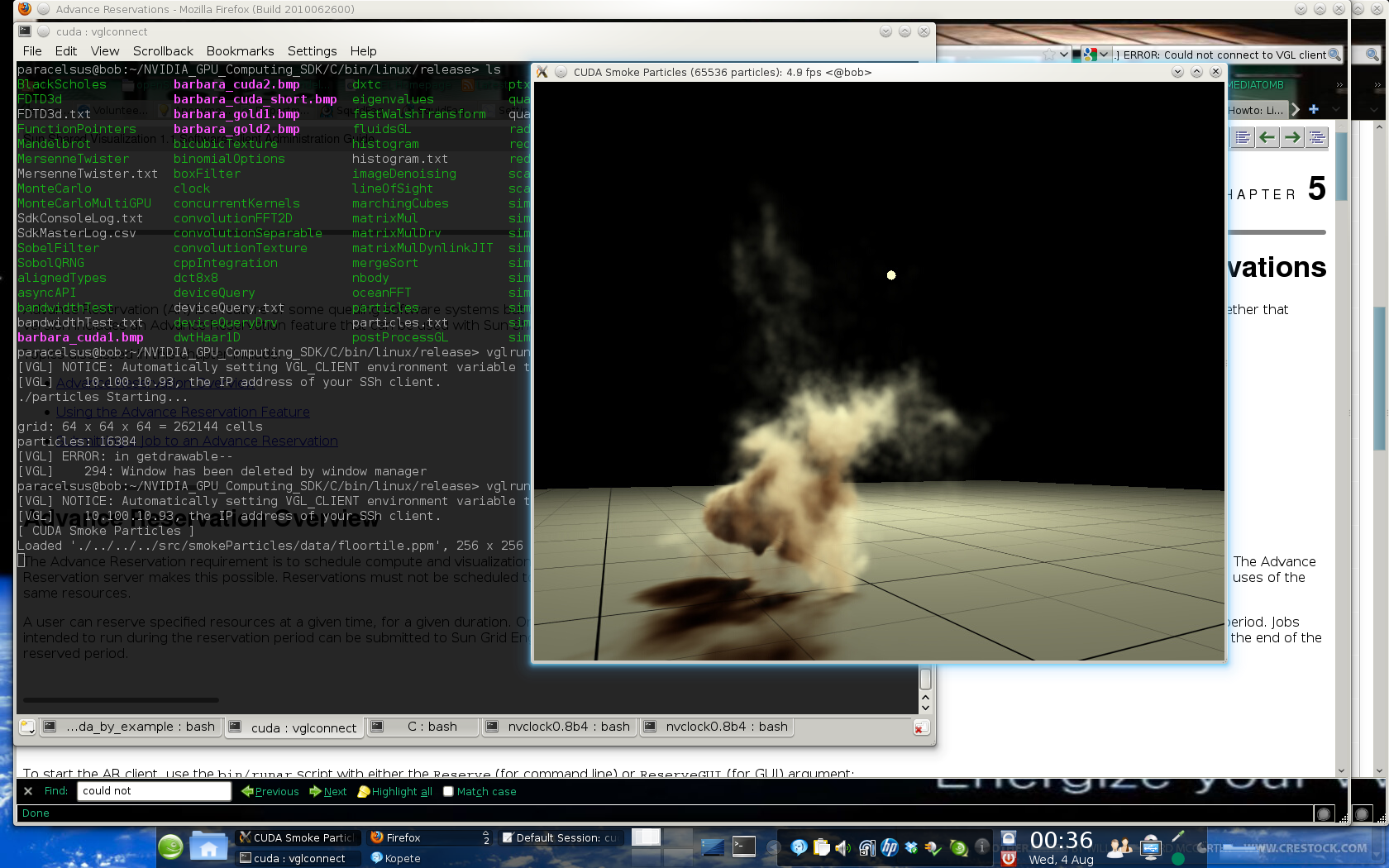
CUDA with X Forwarded OpenGL
I’m going to write up a wiki on this stuff, but if you have any recent NVIDIA card (8800 or newer) , even a mobile one, you likely have the capability to run CUDA. If you are interested you can download the Toolkit and SDK and have at it. (Update: I’ve actually written the Wiki now and you can find it here.
After testing the CUDA waters I have to say I am very impressed. I can easily see CUDA being integrated into many applications in the near future. There are already plugins to offload MS Excel formulas onto the GPU, run Mathmatica on it, etc. The integration of multi core CPUs, in even consumer class hardware, combined with the capabilities of GPUs very well might make things go from a “multi core revolution” in consumer computers and into a “massively parallel revolution”. In fact, it’s already happened. Massively parallel computing is now capable on your notebook, it just has not been fully exploited yet. (Think of the cryptographic fun you could have.) Of course once Apple catches on, it will be called iMassive.
This is just all pretty fascinating to me. My first computers had 4Mhz Motorola CPUs, 32K of memory, etc. and now I just bought a 98 core GPU which I can write code in CUDA C and run general purpose computations on. Wow. And I’m getting ready to get an i7 too – it’s all just a bit dizzying. But very fun.
If you have not checked out CUDA, I highly recommend it. It’s a good opportunity to learn more about massively parallel computing, which I think we are going to be seeing a whole lot more of. You can easily find the book “CUDA by Example” It requires basic to intermed iate C skills, but not OpenGL or other graphics languages at all – you learn CUDA C as you go and start writing parallel code very quickly.(Amazingly, the run time just integrates the GPU device code and host code, and you can invoke code to run on the GPU as easily as any C function. It is some hot stuff behind the scenes, but surprisingly easy to code.)
