
IT Adventures
Go Programming Language
by admin on May.22, 2011, under IT Adventures, Linux

The Google Go Programming Language, currently under development by Robert Griesemer, Rob Pike, and a fellow by the name of Ken Thompson looks to be quite interesting.
Some of the merits include:
- Fast compile times. Wicked fast.
Familiar C like syntax.
Ease of programming – a pseudo marriage of C and Python.
Built in concurrent process execution and messaging.
(MPI clustering and CUDA are under discussion.)
Support for AMD64, x86 and ARM
New languages come along all the time. So why should this one be any different?
Ken Thompson, and his experience with systems programming and languages, is one good reason. For another I can foresee that, for scientific computing in particular, there could be a very good future for Go. By providing an easy to learn and use programing environment, with a C and Python-like style, with easy to use messaging and concurrency and which compiles extremely fast and runs at near C speeds – there is a very good potential. If the future added to this MPI capabilities, and especially bindings for existing libraries (e.g. Thrust and SciPy ) and for CUDA – it could very well fill a perfect niche. This just might be the start of something grand.
Official Sites
Install instructions, beginning tutorials, etc.
This site also provides a cool browser based write-compile-run environment where you can achieve instant gratification with Go.
The actual Google code site.
Getting Started
To get a feel for the language and start using it immediately, you might want to read the sample hello world in the writing programs section of the install instructions.
You can execute Go programs using the above mentioned browser based compiler and run time tool.
Of course, you can also install the Go compiler and tools locally. You have two options for the compiler: the native Go compiler tool chain (6g, 6l, etc.) or gccgo, which uses gcc for the backed.
The official site has full instructions for setting up your environment. Requirements to build Go are minimal, and you can likely be up and running in minutes.
Nifty Cool Bonus: Note the following comment from the install instructions on how the Go linker works:
There is no need to list hello.6‘s package dependencies (in this case, package fmt) on the 6l command line. The linker learns about them by reading hello.6.
Other References to the language:
http://en.wikipedia.org/wiki/Go_%28programming_language%29
A reference for GO language bindings can be found at:
http://go-lang.cat-v.org/library-bindings
Scientific Computing
The suitability of Go for scientific computing is discussed in an interesting Google Groups thread here.
Syntax Highlighting
Exploring the misc/ sub directory shows the source includes syntax highlight files for Vim, Kate and other editors as well as some other goodies.
Compiling libaam.so for EnergyXT2 on 64-bit
by admin on Jan.27, 2011, under IT Adventures, Linux
Recently I decided to revive my interest in playing the guitar. I took a few lessons back around 1988, but didn’t stick with it. Over the years my desire to pick it up again has cropped up here and there, but either I was too busy with life and college, or my guitar was in another state, or whatnot. However, I was recently reunited with my guitar, but not my old amp. I decided to see how I might use my Linux box to allow my to play through it, and perhaps have some effects processing as well. I quickly discovered the rich extent of audio tools available for Linux, and even for the guitar specifically. I hit a gold mine.
I quickly found several USB sound cards with 1/4″ jack inputs, which were well supported under Linux, were readily available – and at a modest price. I ordered a Behringer UCG 102 off Amazon for all of $29.
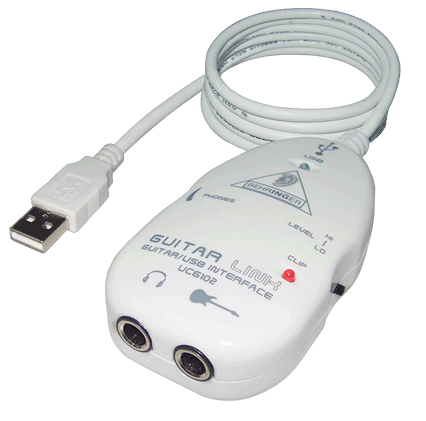
Behringer UCG 102
I also discovered Rakarrack, an full featured guitar effects processing suite for Linux. I had no issues getting Rakarrack installed, and anxiously awaited the arrival of the new sound card. If you play the guitar, you really have to check out Rakarrack – it is amazing.
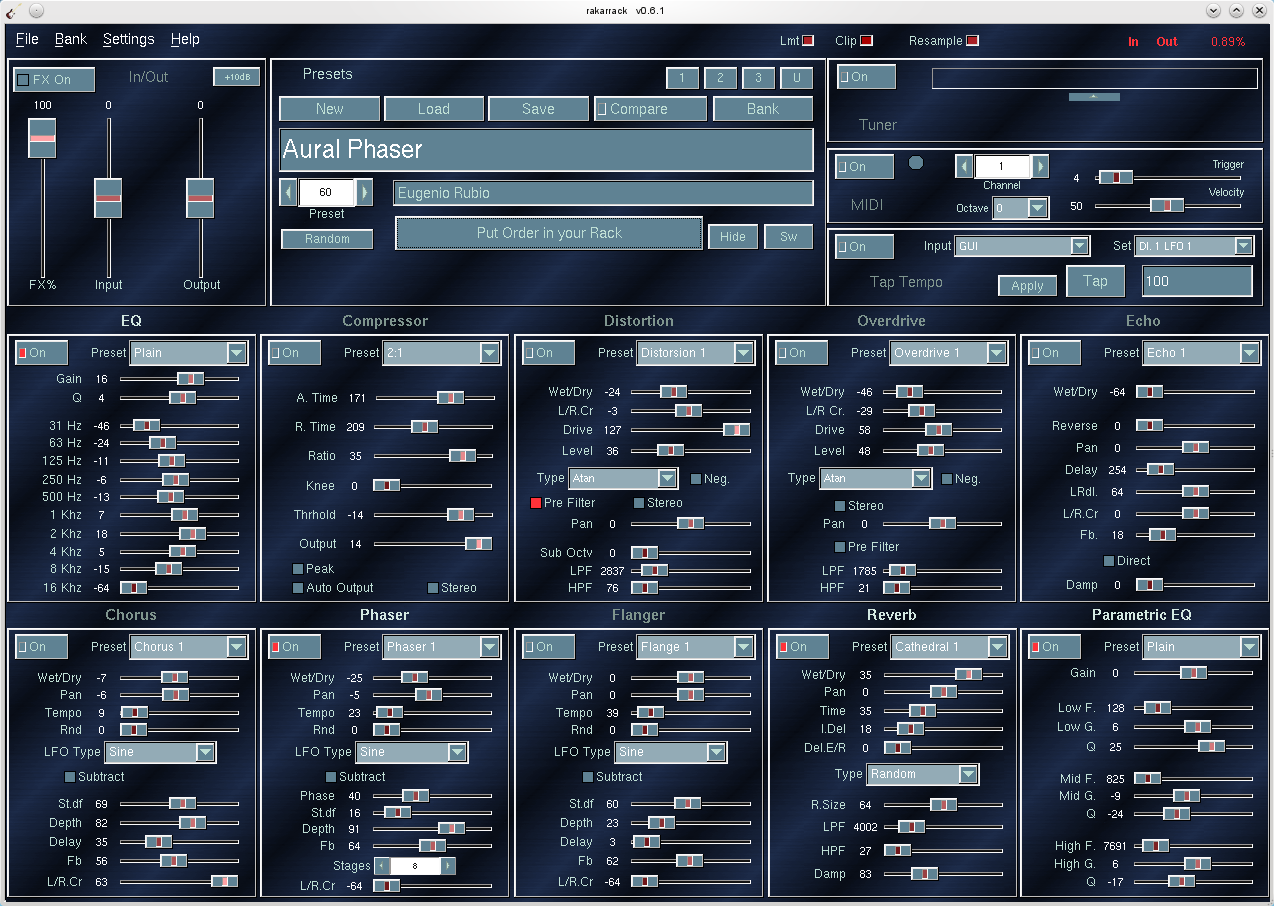
Rakarrack - Sound Like a God
When the Behringer arrived I was shocked to discover the EnergyXT2 recording software it came with nativity supported Linux. Displayed right on the CD sleeve was a an nice capital “L” and advertised Linux support:
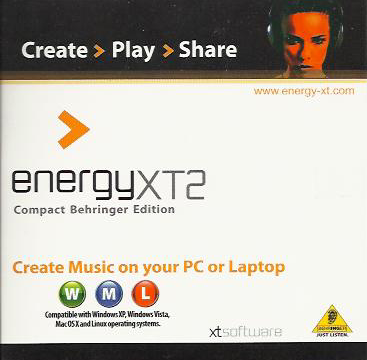
Yep - it runs on Linux.
This, of course, I would have to try – simply as a matter of principle. I soon discovered however several issues with this software, and my solutions to them are below.
NOTE: I should say however that the Behringer Guitar to USB interface worked flawlessly, and in short order I had connected my guitar, fired up the Jack audio server, launched Rakarrack and was playing. The effects provided by Rakarrack include: distortion, chorus, reverb, flanger, digital delay and many others. Wow – this is like having an array of effects pedals for free, and they sound great. And it should be mentioned as well that the open source Ardour recording software worked without requiring anything beyond finding and installing the RPM. So . . . why even bother with getting EnergyXT2 to work? Well, because it’s there. I loved the idea of getting Linux software with a product I bought, and by God I intended to see it work.
Do you need to do this too? Well, that’s up to you. You can certainly use Ardour to record with, and it works extremely well. But if you want to try out EnergyXT, and use it with Jack, and with MIDI, and especially if you are running 64-bit – then read on.
If all you want is a basic working EnergyXT2 without Jack support, that should not be too difficult:
0) First – you need to download the latest version of EnergyXT2 for the website. The version which was shipped has a bug which caused it to fail returning:
X Error of failed request: BadImplementation (server does not implement operation)
Major opcode of failed request: 139 (MIT-SHM)
Minor opcode of failed request: 5 (X_ShmCreatePixmap)
Serial number of failed request: 382
Current serial number in output stream: 384
X Error of failed request: BadDrawable (invalid Pixmap or Window parameter)
Major opcode of failed request: 55 (X_CreateGC)
Resource id in failed request: 0x2a000a4
Serial number of failed request: 383
Current serial number in output stream: 384
This is easily solved by downloading the updated version. You might want to grab the manual too.
At this point it should start and work correctly, but you will not have Jack support. For that you need to continue with the next steps. This assumes some familiarity with compiling things, obtaining required libraries, and some basic debugging – it is not really difficult, but if you have not compiled things much it may be a learning experience.
1) The version of libaam.so provided with the software has several limitations, the most significant of which is that it does not support the Jack audio server. Now – there are two routes to take here:
A) Download the source for libaam.so from the EnergyXT libaam site and compile using the instruction there, or:
B) Download and compile the source for from the libaam Jack Sourceforge project. This is most certainly the better route to take as it supports more MIDI channels and also can build a QT Interface to configure it to work with Jack. Simply download, untar and continue with the steps below. Note this contains its own readme and make file, and QT interface, unlike the basic version for the EnergyXT site.
2) Next, I was building this on a 64-bit OpenSuse 11.3 system. The fact of building this on a 64-bit platform introduces a number of additional factors which have to be addressed. If you were to build this on a 32-bit platform, it would be easier. If using a 64-bit environment (perhaps like Studio64) the first thing you need to do is ensure you have the 32-bit versions of the libraries you will need, AS WELL AS 32-bit versions of gcc, glibc, etc. These are going to be called different things depending on your distro, but you are looking for things like:
libasound2-devel
libjack-devel-1.9.5-2.8.i586 (get 32-bit version from webpin)
alsa-plugins-jack qjackctl
libqt4-devel-4.6.3-2.1.1.i586
alsa-devel-1.0.23-2.12.x86_64
glibc-32bit-2.11.2-3.3.1.x86_64
gcc45-32bit-4.5.0_20100604-1.12.x86_64
gcc-c++-32bit-4.5-4.2.x86_64
And maybe . . .
libSDL_mixer-1_2-0-32bit
libSDL_mixer-1_2-0
Should you receive any build errors complaining about libs you know you have, may need to make some symlinks for several of the libraries, such as:
sudo ln -s /usr/lib/libasound.so.2.0.0 /usr/lib/libasound.so
sudo ln -s /usr/lib/libjack.so.0.1.0 /usr/lib/libjack.so
sudo ln -s /lib/libgcc_s.so.1 /lib/libgcc_s.so
Getting all the 32-bit libraries you need may take a few tries – each time you compile you may be presented with some new library needed – but you should be able to work through them and fortunately there are a limited number required.
If you do not have 32-bit gcc, you may get messages similar to:
paracelsus@Callandor:~/energyXT/libaam-0.0.2> g++ -m32 -shared -lasound -ljack jack.cpp -o libaam.so
/usr/lib64/gcc/x86_64-suse-linux/4.3/../../../../x86_64-suse-linux/bin/ld:
i386:x86-64 architecture of input file `/usr/lib64/gcc/x86_64-suse-linux/4.3/crtbeginS.o’ is incompatible with i386 output
This is simply due to missing the proper gcc and g++ 32-bit packages – oops. (While I had the necessary 32-bit libs for qt and Jack, I inadvertently had not installed 32-bit gcc and g++ libs, so it indeed was missing the 32-bit version of crtbeginS.o, just like it says.
2) This then allowed libaam.so to build, and you should be able to use the library at this point. You most likely want the configuration interface too, but building xt2-config failed with a missing qmake-qt4, though it was installed. That was corrected with a symlink:
ln -s /usr/lib/qt4/bin/qmake /usr/bin/qmake-qt4
3) The next problem building xt2-config was with it expecting a 32-bit build environment – Note that -m32 is specified in the Makefile for libaam, but NOT in the config/Makefile for xt2-config, thus:
g++ -c -m32 -pipe -g -Wall -W -D_REENTRANT -DQT_GUI_LIB -DQT_CORE_LIB -DQT_SHARED -I/usr/share/qt4/mkspecs/linux-g++ -I. -I/usr/include/QtCore -I/usr/include/QtGui -I/usr/include -I. -I. -o moc_configw.o moc_configw.cpp
g++  -o xt2-config main.o configw.o moc_configw.o    -L/usr/lib -lQtGui -L/usr/lib -L/usr/X11R6/lib -lQtCore -lpthread
/usr/lib64/gcc/x86_64-suse-linux/4.3/../../../../x86_64-suse-linux/bin/ld: skipping incompatible /usr/lib/libQtGui.so when searching for -lQtGui
/usr/lib64/gcc/x86_64-suse-linux/4.3/../../../../x86_64-suse-linux/bin/ld: skipping incompatible /usr/lib/libQtGui.so when searching for -lQtGui
/usr/lib64/gcc/x86_64-suse-linux/4.3/../../../../x86_64-suse-linux/bin/ld: skipping incompatible /usr/lib/libQtGui.so when searching for -lQtGui
/usr/lib64/gcc/x86_64-suse-linux/4.3/../../../../x86_64-suse-linux/bin/ld: cannot find -lQtGui
Now, I can see that g++ is not being called with -m32 when it links the three compiled files main.o configw.o moc_configw.o To get this to build correctly I modified the Makefile in config/Makefile (which is called from the Makefile in the build root), and added:
#CFLAGS        = -pipe -g -Wall -W -D_REENTRANT $(DEFINES)
CFLAGS        =  -m32 -march=i386 -pipe -g -Wall -W -D_REENTRANT $(DEFINES)
#CXXFLAGS      = -pipe -g -Wall -W -D_REENTRANT $(DEFINES)
CXXFLAGS      =  -m32 -march=i386 -pipe -g -Wall -W -D_REENTRANT $(DEFINES)
And . . .
####### Build rules

all: Makefile $(TARGET)

$(TARGET): ui_config.h $(OBJECTS)
        $(LINK) $(LFLAGS) $(CXXFLAGS) -o $(TARGET) $(OBJECTS) $(OBJCOMP) $(LIBS)
The result is a working libaam.so you can copy to your energyXT folder (backup and replace the existing) which supports Jack, and a working xt2-config (move it from config/ to /usr/bin)
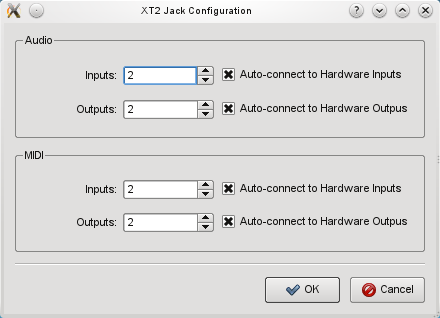
xt2-config for Jack Audio
Of course on a 32-bit OS EnergXT2 should just run out of the box (as long as you have downloaded an updated copy) but you still would not have Jack support (which is really the way to go), or the QT config interface, and as more users move to 64-bit and RT kernels for audio applications, this may come in handy.
Sun Studio 12 Update 1 Compiler and IDE
by admin on Aug.11, 2009, under IT Adventures, Linux, Sago Labs
Cool News: This post was a blogging contest winner!

Thank you Sun!
Update: What a pleasant surprise to find that my entry for the Sun Studio blogging contest was selected as one of the winners, and announced on the Sun Studio Developers Site. As promised, Sun sent along $500, marking the first money I’ve made with this blog, and while my purpose in blogging is not focused on making money, it nonetheless was a nice side effect. I certainly enjoyed writing about my initial experience with using Sun Studio 12, and to have been selected as one of the contest winners was certainly a bonus. Thank you Sun Microsystems for holding the contest, and of course for making Sun Studio available to the community.
Every now and again I get emails from Sun Microsystems for guides or other promotions for this or that product: ZFS, Solaris containers, DTrace, etc. Some of them are actually quite interesting and it is a list I like being on.
The other day I received an announcement for the release of Sun Studio 12 Update 1. Well, this was perfect as I have been wanting to test drive Sun Studio for a while, and have been meaning to get to it – but it gets even better: they are having a blogging contest and will actually be paying 10 lucky winners who blog about their experience with it!
Well, let’s see: try out and write about a product which I had intended to do anyway, and perhaps win some cash too – how can one possibly go wrong?
Why Try It?
I’m neither a developer nor programmer. If that fits you as well, you might be thinking “So why bother?” Well, like a lot of folks out there who are Linux guys, sysadmin types, etc. I think it is always good to be familiar with available tools. The IDE I’ve used most is vim, and I’ve rarely even used Eclipse. But I, being an adventure loving soul, of course love checking out new things and was particularly interested in the Sun compiler as I wanted to compare its optimizations and the performance of binaries it compiles against the Intel (icc) and GNU (gcc) compilers. I previously wrote on comparing Intel Linux C complier and gcc binaries using the Crafty chess engine and was quite surprised at the benchmark differences, and have since then wanted to see how a Sun compiled binary would compare. So what a perfect opportunity to try it and find out.
Isn’t that a bit nebulous? One could even dare say Geeky?
While benching chess engine binaries might seem somewhat esoteric, it really gives a good idea of the possibilities. Translate this over to compiling your MySQL server or other performance critical app and it starts to get more interesting. In fact you can get MySQL binaries compiled with the Intel compiler for just this reason directly on the MySQL download page. One can’t help but wonder one MySQL binaries compiled with the Sun compiler might perform.
Install Experience
I tested out Sun Studio 12 on both Solaris 10 (2009.06 Nevada) and Linux (Suse 11.1) platforms. In both cases the install was seamless. On Solaris 10 it was simply a matter of using the new IPS packaging system and by running
$ pfexec pkg install sunstudio12u1
it was up and running in minutes.
On the Linux side I downloaded the SunStudio12u1-Linux-x86-rpms.tar.gz package and simply run the install wrapper script, which by default places everything in /opt/sun and the full path to the binary is then /opt/sun/sunstudio12.1/bin/sunstudio (you will need to add that to you PATH environmental.)
The GUI installer which ran in Linux went smoothly and gave basic options for which components to select, etc. You can also install install in non-interactively. The displayed warning was simply saying there was no guarantee it would work on this system (Suse 11.1) – but there were in fact no issues.
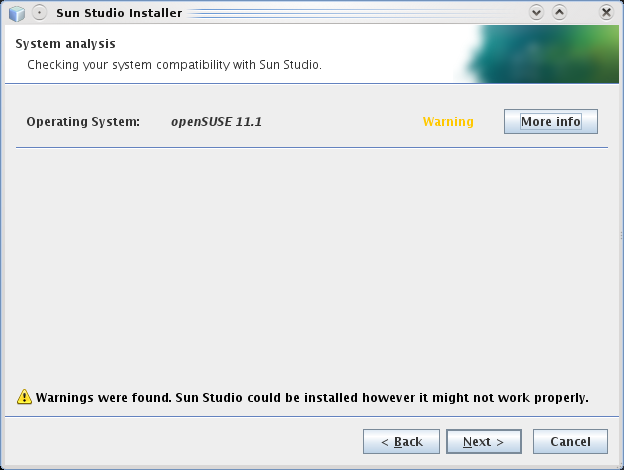
Sun Studio Installer on Suse
The full install (C and Fortran compilers, performance libs and IDE) comes to about 755MB on Linux and about 830Mb on Solaris – a bit larger than I expected.
Sun Studio IDE
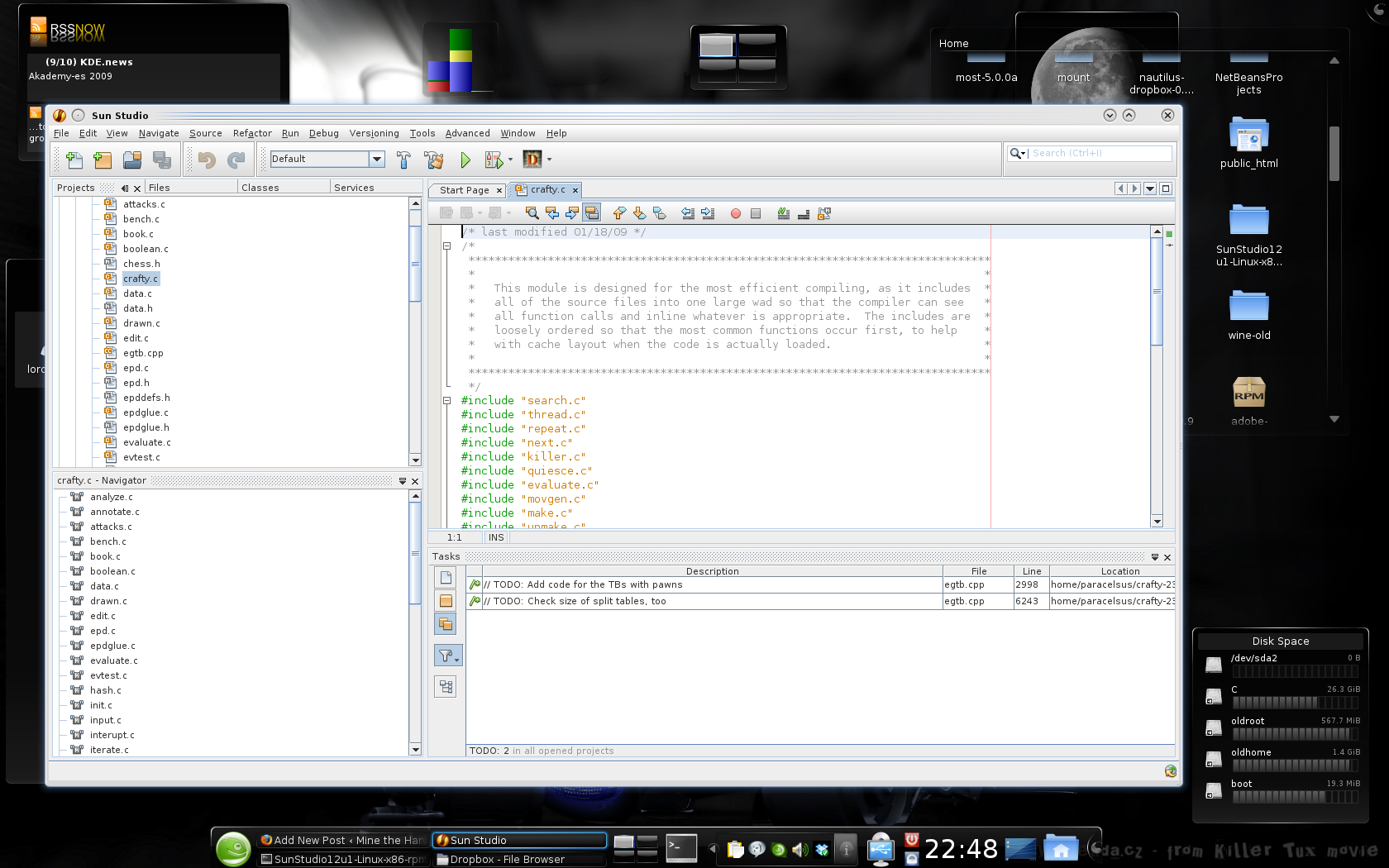
Sun Studio 12 On Suse 11.1
Launching Sun Studio presents a clean and easy to navigate environment. Though never having used it before, it was pretty obvious where to find things. Several sample projects are available so you can test drive it right away, and there are links to guides presented on the main page. (There is also a comprehensive quick start guide here.)
I did have to play about a bit with adding existing directories of source code into a new project. It is easy enough once you do it. Once you import your source, you can click the build button and you are more or less off.
Of course, you will need to define the full path to the compiler you want to use in the CC= variable in the make file, or have this environmental defined and exported already. If you want to compile with gcc instead, it is no problem – just set cc=gcc In the Crafty make file you can simply set the $(MAKE) linux or $(MAKE) linux-icc to use gcc or icc compilers. I had no difficulty compiling Crafty with gcc this way.
Using the Sun Compiler
As I am utterly unfamiliar with CFlags for the Sun compiler I found it nice that just running the compiler with no arguments immediately tells you how to discover them easily enough with /opt/sun/sunstudio12.1/bin/suncc -flags
I had to figure out the CFLAGS still though, and found this site to be helpful for that.
One I had the correct options set in the Crafty Makefile, the Sun compiler launched into action for me. I used a basic set of CFLAGS:
solaris:

$(MAKE) target=SUN \

CC=/opt/sun/sunstudio12.1/bin/cc CXX='$(CC)' \

CFLAGS='$(CFLAGS) -fast -xO5 -xunroll=20' \

CXFLAGS=$(CFLAGS) \

LDFLAGS='$(LDFLAGS) -lpthread' \

opt='$(opt)' \

crafty-make
Compile Benchmark Results
So how did it go? How did the Sun compiler perform? Well come back in a day or so and see the benchmarks. Meanwhile, you might enjoy reading about how the previous comparison between Intel icc and gcc tests went, which you can find here.
Lint Mint 6 XFCE on OLPC
by admin on Jul.14, 2009, under IT Adventures, Linux, Netbooks
A while back when Linux Mint 6 XFCE (based on Ubunut Intrepid) was released and reviewed on The Linux Action Show I thought of what a good platform it could be for the OLPC. (The Linux Action show is a great pod cast by the way!) I had previously installed Ubuntu Hardy on the OLPC, but the extras the Linux Mint guys added to XFCE sounded pretty cool. Especially considering I am thinking of giving the OLPC away to someone who is a newer Linux user, having Mint as the OS was pretty appealing. And oh, my old Hardy install was utterly nuked on the SD card anyway – who knows. I might have tried to recover the partition tables with TestDisk, etc. but really – who cares. Time for a new OLPC adventure anyway!
In fact I had hardly touched my OLPC in nearly a year, since buying my Acer Aspire One – which I really love. And although the Aspire One is obviously far better performance wise, there are certain characteristics of the OLPC that I really like, such as:
Monochrome Screen Mode: This is absolutely awesome. The screen back light turns completely off saving big time power. Sunlight goes through the LCD and is reflected off a panel, making the screen extremely readable in direct sunlight. It is really fantastic and I wish ALL netbooks had this feature. It is hard to describe how legible it is, even in harsh direct light.
Battery Life: Especially when running in monochrome mode, battery life is quite good.
Mesh Networking: Interesting stuff – and oh, the wireless net supports injection. Hacking opportunities for kids the world round.
Case Design: Everything folds up to protect ports. Integrated carrying handle.
Open Firmware: Yea, it’s kind of different and fun to play with. Similar to the Open Firmware in the pre-Intel Macs, but far more fun than that was. Since we will be seeing a lot more systems using Open Firmware in the future it is good to play with it now. By by BIOS – you served us well.
Philosophy: Providing technology that would otherwise be unavailable to kids in remote places does not at all seem like a bad idea to me.
HAM Radio: I am thinking the OLPC, with the above features, seems a perfect candidate to use with packet radio. Communicate with friends after the coming apocalypse. Run it for years, and never worry about the back light burning out – you don’t need it.
(As a note: It was great seeing a few people recently at Toorcamp with their OLPCs – I saw two or three there, as well as two OLPC billboards on the trip to Seattle.)
Okay – enough extolling the OLPC virtues. How to install Linux Mint on it.
How to Install Linux Mint 6 XFCE on the OLPC
0) Pre-install Steps
0) First off, you do not need to go through exotic hoops to get this to work. Some guys have had success installing Mint onto an SD card first and then installing Hardy over the top of it and ended up with a working Mint install. Using the following method you can simply install Mint and it should work fine. (If you do want to install a vanilla Hardy, I would highly recommend using this method using compressed files instead.)
00) I suggest you update the OLPC firmware and Fedora base OS before installing Mint. Simply connecting to a wireless network and running #olpc-update as root will download all updates and update the firmware as well. (Have it pluged into AC or the firmware upgrade will be skipped.) BE PATIENT – the upgrade rsyncs several hundred megs over your wireless connection. It takes a very long time.
Toorcamp: Taking the Hack Underground
by admin on Jul.04, 2009, under IT Adventures, Linux, My Life
(You can find the first post here with a bit more info.)
After the Toorcamp officials negotiated it out, the owner (collectively known as Mr. Ass-Wee-Pay) finally allowed access to the missile silo today. This made a huge difference in the whole experience at Toorcamp. Otherwise, as my brother so perfectly put it, the event was a bit like:
“Come to a hacker fest at an abandoned nuclear silo!*”
(*Silo not included)
Fortunately all this changed today, and the site was fully opened to workshops, talks and tours. Way to go Toorcamp guys!
It was utterly awesome. While camping on the surface was pretty un-enjoyable with the extreme dust and heat, the silo was completely different. The temperature was easily 25-30 degrees F less in the silo. In fact you could only stay about 2 hours before you would become uncomfortably cold and want to return to the surface. Good thing I thought ahead enough to bring a fleece pull over to the desert!
I took many, many pictures of the silo and will cull a few of the best for this blog post, and others can be found on my gallery.
The Titan Missile Silo:
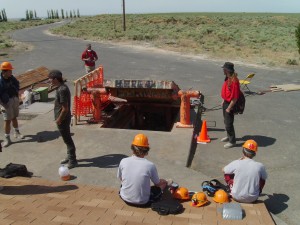

The entrance was a steel and concrete hatch easily a foot think. It was propped up (literally) on supports, themselves not bolted down. The ingress / egress safety briefing included strict instructions not to touch the hatch in any way. Think of a rabbit trap made out of a box and you get the idea.
You then proceeded down a very narrow passage and flight of stairs, forcing a single person to enter. This was engineered to allow a guard to be able to hold back any number of people attempting to infiltrate the entrance. A 10 year old with a slingshot could defend this entrance.

After this, at about 20 feet down you entered the main lift tower. The elevator of course was long since removed, so you descended the five flights of stairs – sturdy and steel plated until you arrived at the bottom of the lift and the main entrance. Here tunnels ran off in four directions. Two lead immediately into the control and power domes.
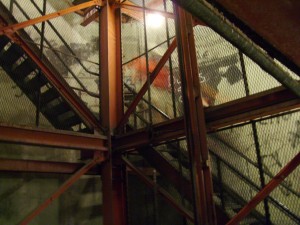
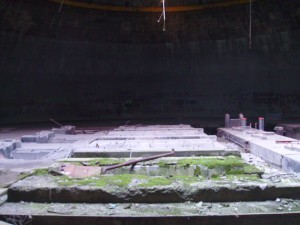
The power dome (above) was massive, originally housing the generators. A section of the ceiling of this dome had been opened (after being excavated) to allow access to the facility and removal of the generators and other equipment. All other parts of the facility are still completely buried. The moss growing is due to the ceiling being open to the sky.
(Just click below to read more.)
