
Archive for January, 2009
O3Spaces – Open Office and MS Office Collaboration
by admin on Jan.30, 2009, under College Stuff, Linux
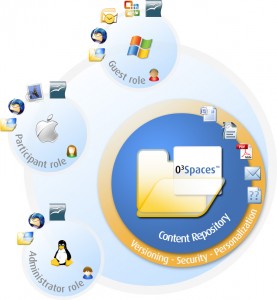
Recently at school an issue once again reared its head, and of course needed to be solved with Linux.
You see, my school – St. Petersburg College – uses softwares for on-line classes that is very limited. One of the most significant things it lacks is any ability for students to collaborate on projects. The most it offers is private discussion boards, but no ability to collaborate on papers, etc. This makes it extremely difficult for a team to work on a paper or outline together. The only ready options were to use FTP or Google docs. FTP is not realistic for lay users, too unwieldy, no version control and no file lock out method, etc. Google docs is okay, but I wanted my own solution and there are those whose opinions make them not wish to use Google docs – data mining, etc.
A quick look on Wikipedia found a good article comparing group ware and collaboration software and this lead in turn to O3Spaces. This is a pretty interesting application. While not open source there is a community edition available which allows up to 10 users to collaborate.
Of particular interest to me was the cross platform capabilities it offered. Users of both Open Office and Microsoft Office can download a desktop connector that allows them to edit documents and sync them with the O3Spaces server. As most classmates use Windows, while I use Linux and Solaris, this was perfect. (There is also a client for OS X as well, so you definitely have your bases covered here.)
Suse DNS Server – Wow, So Easy
by admin on Jan.10, 2009, under Linux
(What to do this yourself? Check out the wiki how to for the DNS Sever and PXE server for Suse.)
The other day I came home and was needing to SSH into Syd’s Mac G4 and also RDP into one of my notebooks. As usual, I had forgetten their IPs or they had changed.
“You know, wouldn’t it be just super geeky to run my own DNS server at home so I didn’t have this problem?” I asked.
I then proceeded to discover that setting up a DNS server in Suse 11 is simplicity itself. Yast makes the process incredibly simple.
I also really love how Suse allows you to use Yast in the CLI – that makes adding records and zone files extremely easy. You can just SSH in and make any changes in Yast, very nice.
It took all of about :20 to get my DNS server up and running. Of course then I had to play around with it. I also learned how to set up my dhcp server to supply a search domain when it gives out leases and also have dhcp statically assign IPs to hosts based on MAC addresses. It all works perfectly and hosts get their resolv.confs just how I want. As a bonus I have the Suse server act as a PXE server so if I need to diag a system at home I can PXE boot it to a linux environment for troubleshoointg, etc.
Now, being the lazy guy I am, I can now just reach all hosts in my house as easy as. . .
Callandor:/ # ping linux
PING linux.house.com (192.168.2.3) 56(84) bytes of data.
64 bytes from 192.168.2.3: icmp_seq=1 ttl=64 time=0.050 ms
— linux.house.com ping statistics —
1 packets transmitted, 1 received, 0% packet loss, time 0ms
rtt min/avg/max/mdev = 0.050/0.050/0.050/0.000 ms
Now that is what I like!
Command-not-found on Suse 11.0
by admin on Jan.05, 2009, under Linux
Installing Command-not-found
( NOTE: Big thanks to Pavol Rusnak for helping me to get this working. He really did a great job of supporting this package, both working with me via direct email and on the Suse Forums. This was a perfect example of how successful the open source model is and how professional and helpful members in the community can be. You can see the Suse forum thread here. There was a minor bug in one of the conf files which Mr. Rusnak isolated and corrected, after which I was able to get this working no problem. You should have no problems getting this to work in Suse 11 following the instructions below.)
Suse 11.1 includes command-not-found, however 11.0 does not. This is a very handy tool and I wanted to get it working in 11.0, as I do not wish to upgrade to 11.1 at this time.
Goggling I found the site of the developer, Pavol Rusnak, who created command-not-found:
http://stick.gk2.sk/blog/?p=4
However, if you try to install command-not-found using the one click install at http://software.opensuse.org/search/ it will fail. The repo that is set up for some reason fails to locate a dependency which is, it appears, present in the repo. Also strange is the dependency scout-bin-suse110 will also not show up if you search for it, you have find it in the repo and install it manually. Hardly a big deal, but the steps are then:
